🗣️ Top Voice & Speech Productivity Apps 2025: Transform How You Work with AI Voice Assistants
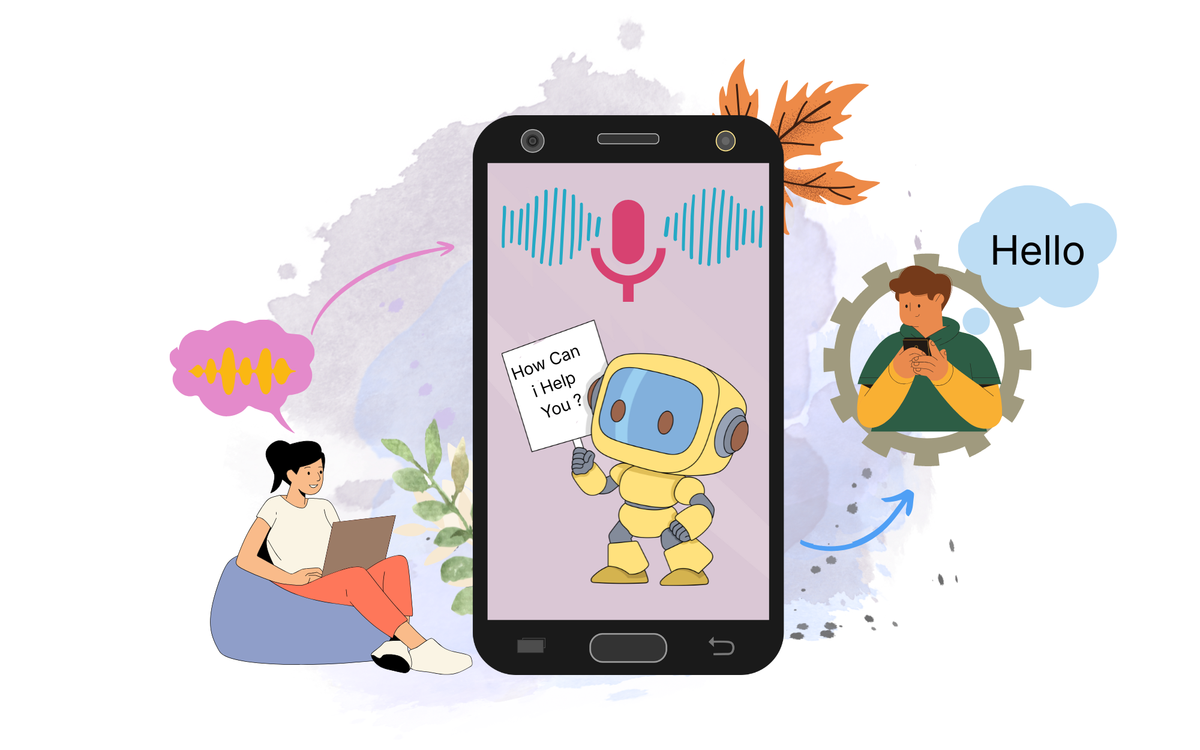
In 2025, voice and speech productivity apps have evolved into powerful AI-driven assistants that let you work faster, stay hands-free, and boost focus. Whether you’re dictating notes, transcribing meetings, sending emails, or controlling tasks with voice commands — these apps are transforming digital workflows.
🚀 What Are Voice & Speech Productivity Apps?
Voice and speech productivity apps convert spoken language into text or execute commands using AI and speech recognition. They’re perfect for busy professionals, writers, and creators who want to minimize typing and multitask effortlessly.
These tools use natural language processing (NLP) and machine learning to understand human speech, enabling voice-based control across apps, devices, and cloud platforms.
AI voice productivity is no longer about convenience — it’s about accelerating creativity, communication, and clarity.
🔍 Key Benefits
✅ Hands-free work — Ideal for multitasking and accessibility
✅ Faster note-taking and transcription
✅ Seamless integration with apps like Google Docs, Slack, or Notion
✅ Improved accuracy with AI-powered speech recognition
✅ Productivity boost with real-time dictation and task automation.
💡 Top Voice & Speech Productivity Apps in 2025
Here are some standout tools redefining how professionals work with their voice:
1️⃣. 🗣️ Otter.ai
Otter.ai is one of the most popular AI-powered transcription and note-taking apps, designed to make meetings, lectures, and brainstorming sessions more productive. It automatically transcribes speech in real-time, identifies speakers, and generates searchable text summaries — saving hours of manual note-taking.
Whether you’re a professional, student, or team leader, Otter.ai ensures that every word spoken in meetings or discussions is captured, organized, and easily shareable.
💡 Features -
- Joins online meetings (Zoom, Google Meet, MS Teams) to record and summarize conversations.
- Lets you quickly find keywords or phrases in your transcripts.
- Automatically converts live speech into accurate, editable text.
- Share live notes and transcripts with your team in real time.
✔ Pros and ❌ Cons
| Pros | Cons |
|---|---|
| High real-time transcription accuracy (97–98%). | Free plan is restrictive for heavy users. |
| Excellent AI-generated summaries and action items. | Requires a stable internet connection. |
| Seamless integration with Zoom, Meet, and Teams. | Accuracy can vary with strong accents. |
| User-friendly interface and easy navigation. | Bot auto-joining meetings may feel intrusive. |
| Great for teams, students, and content creators. | Limited offline functionality. |
Pricing (2025) - Offers Free, Pro, Business and Enterprise Plans.
Best For - Business Teams, Journalists and Content Creators, Founders etc.,
Platforms - Web, Android, iOS, Chrome extension, Zoom/Meet.
2️⃣. 🌐 Notta.ai
Notta.ai is an AI-powered voice-to-text platform that converts audio, video, and live speech into accurate, structured, and searchable transcripts. It also generates summaries, translations, and exports across formats.
Unlike some competitors, Notta is ultra-fast, lightweight, and built for global users, supporting over 104 languages.
💡 Features -
- One of the strongest multilingual transcription engines.
- Full transcript editor with timestamps, word-level correction, and speaker labels.
- Their new meeting bot joins Zoom/Meet automatically and takes notes.
- Transcribe → translate → export
Popular feature for content creators and international teams.
✔ Pros and ❌ Cons
| Pros | Cons |
|---|---|
| Highly accurate AI transcription with support for 100+ languages. | Advanced features require paid plans. |
| Fast real-time and recorded audio transcription for meetings | Occasional accuracy drops in noisy environments c |
| Multi-platform support including Web, iOS, Android, | Free version has limits on transcription minutes a |
| Simple interface with easy editing, speaker labeling. | No deep meeting analytics like Fireflies.ai offers. |
| Great for students, professionals, and teams w. | Real-time collaboration tools are less advanced . |
Pricing (2025) - Offers Free, Pro, Business and Enterprise Plans.
Best For - Professionals handling mulitple languages, Content Creators etc.,
Platforms - Web, iOS, Android, Desktop App, Meeting Integrations (Notta Bot).
3️⃣. Fireflies.ai -
Fireflies.ai is an AI meeting recorder, transcriber, and knowledge automation system- especially for sales teams, customer success teams, product teams, and fast-growing startups.
It automatically joins your meetings, captures audio, generates transcripts, summarizes discussions, and pushes insights into tools like HubSpot, Salesforce, Slack, Notion, and Asana.
💡 Features -
- Automatically joins Zoom, Google Meet, MS Teams, Webex, and more.
- Instantly highlight and create shareable audio/video clips.
- Fireflies auto-logs call notes, summaries, and sentiment.
- A searchable library of all your calls and Powerful for onboarding new employees.
✔ Pros and ❌ Cons
| Pros | Cons |
|---|---|
| Powerful team-focused features (shared workspace, channels, analytics). | Learning curve for new users — UI can feel dense. |
| Best-in-class CRM integrations (Salesforce, HubSpot, Pipedrive, etc.). | Free plan is very limited for real team use. |
| Advanced AI summaries & action-item extraction (AskFred). | Accuracy drops in noisy or low-quality calls. |
| Auto-join meeting bot and automatic logging of calls. | Real-time editing and live transcript polishing aren’t as smooth as some competitors. |
| Soundbite clips and shareable highlights for quick sharing. | Less ideal for single users or students who just need simple transcripts. |
| Robust import/export and multi-platform support (web, mobile, extensions). | Enterprise-level features require higher-tier plans and custom pricing. |
Pricing (2025) - Offers Free, Pro, Business and Enterprise Plans.
Best For - Sales Team, Customer success, Agencies, Recruiters etc.,
Platforms -Web App( Full -featured), Browser Extensions, Mobile Apps, Meeting and CRM Integrations.
4️⃣. Krisp.ai
Krisp.ai is an AI-powered noise cancellation and voice enhancement tool used by remote workers, podcasters, call centers, and teams to improve audio clarity during online meetings and recordings.
It removes background noise, echo, keyboard typing, barking dogs, traffic, and also enhances voice quality in real time.
It works at the system level, meaning it can clean your audio across any app (Zoom, Google Meet, Teams, Slack, Discord, etc.).
💡 Features
- Removes noise from other participants so you hear them clearly.
- Stops echo from your room or your speakers.
- Automatically transcribes calls and generates summaries.
- Shows talk time, interruption patterns, filler words, and call performance metrics.
✔ Pros and ❌ Cons
| Pros | Cons |
|---|---|
| Industry-leading noise and echo cancellation with high accuracy. | Free plan has limited usage minutes. |
| Works with any communication app at system level. | Consumes noticeable CPU during long calls on low-end machines. |
| Enhances your voice quality for professional-sounding calls. | No built-in audio recording studio—limited to cleanup only. |
| Bi-directional noise reduction cleans your mic and other people’s audio. | Transcription and meeting notes are not as advanced as Otter/Fireflies. |
| Simple interface; easy to toggle on/off. | Team features require higher-tier plans. |
| Enterprise-level security and admin controls. | Voice enhancement can sound unnatural if overused. |
Pricing (2025) - Offers Free, Pro and Enterprise Plans.
Best For - Remote Workers, Support Teams, Call Centres etc.,
Platforms - Windows, macOS,iOS, Chrome Extensions.
5️⃣. Speechify (Voice-to-Text)
Speechify is best known for text-to-speech, but it also includes Voice-to-Text (Dictation) features designed for fast content capture, note-taking, writing, and productivity workflows. It helps users convert speech into written text with high accuracy across devices.
Think of it as a dictation + writing assistant powered by Speechify’s advanced speech recognition models.
💡 Features
- Supports 30+ languages for international dictation.
- After transcription, Speechify can rewrite or improve your text for clarity, tone, or brevity.
- Automatically adds Commas, Periods, Paragraphs.
- You can send your dictated notes into: Speechify Reader, AI Writer and Editor
✔ Pros and ❌ Cons
| Pros | Cons |
|---|---|
| High-accuracy real-time dictation across multiple languages. | Some advanced features locked behind premium tiers. |
| Integrates with Speechify’s Reader and AI Writer for a full workflow. | Not ideal for long-form meeting transcription compared to Otter/Fireflies. |
| Auto punctuation and formatting improves writing speed. | Occasional errors with accents or fast speakers. |
| Cross-platform sync makes captured notes accessible everywhere. | Limited collaboration features compared to Notta.ai. |
| Great for students, writers, and productivity workflows. | Browser extension isn’t as accurate as mobile apps. |
Pricing (2025) - Offers Free, Premium and Ultra Tier Plans.
Best For - Students, Bloggers & Writers, Creators etc.,
Platforms - iOS, Android, Chrome Extensions and Web App.
Rundown
Voice and speech productivity tools are no longer “nice to have” — they’re now core accelerators for anyone who wants to work faster, think clearer, and produce more with less effort.
Otter.ai leads the way for meetings and collaborative notes.
Notta.ai shines with accuracy and multi-platform support.
Fireflies.ai is unbeatable for automated meeting summaries and team intelligence.
Krisp.ai makes your voice sound professional anywhere, anytime.
Speechify unlocks rapid dictation and AI-assisted writing.
Each one solves a different productivity bottleneck — and together, they transform the way modern professionals capture information, communicate, and execute.
This is the new productivity edge — and it belongs to those who tap into the power of AI voice technology.